
Rent pro kit from your pocket.
Ouquo rents out cameras, lenses, drones and lights. We built its clients a native iPhone app to browse the kit, pick dates, pay, track every booking and hear the moment something changes, all running on the same backend as the website.
- Product
- Ouquo, camera, lens and drone rental
- What we built
- Native iOS app for rental clients, with push notifications
- Built with
- Swift, SwiftUI, Firebase, Stripe
- Status
- Built 2026
The idea
Ouquo's clients are photographers, filmmakers and production teams who book kit again and again, often from a set or a location rather than a desk.
The app gives them everything the website does, from browsing to paying, in a native iPhone app. Then it keeps them in the loop with notifications at every stage of a booking, and the first word when new kit arrives.
Notifications
Always know where your kit is.
Clients get a notification at every step of a booking, sent at the same moment as the email. And when Ouquo adds new equipment, clients who opted in are the first to know.

Two switches, no surprises
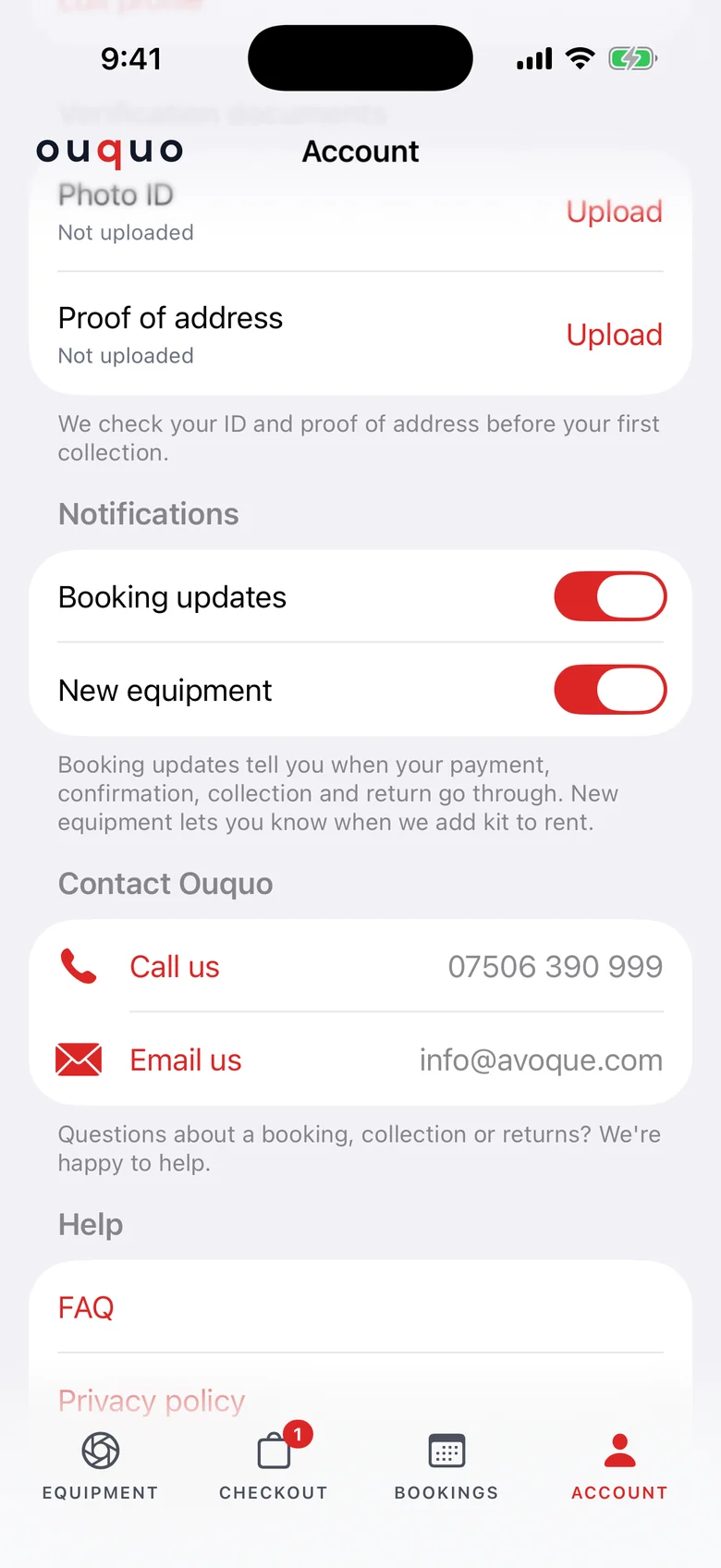
Booking updates are on from the start. New equipment alerts are opt-in, offered once with a friendly "Be first to hear about new kit" card, as Apple requires for promotional notifications.
- Booking updates and new equipment, switched separately
- One-time opt-in card on the Equipment tab
- Tapping a notification opens the right tab
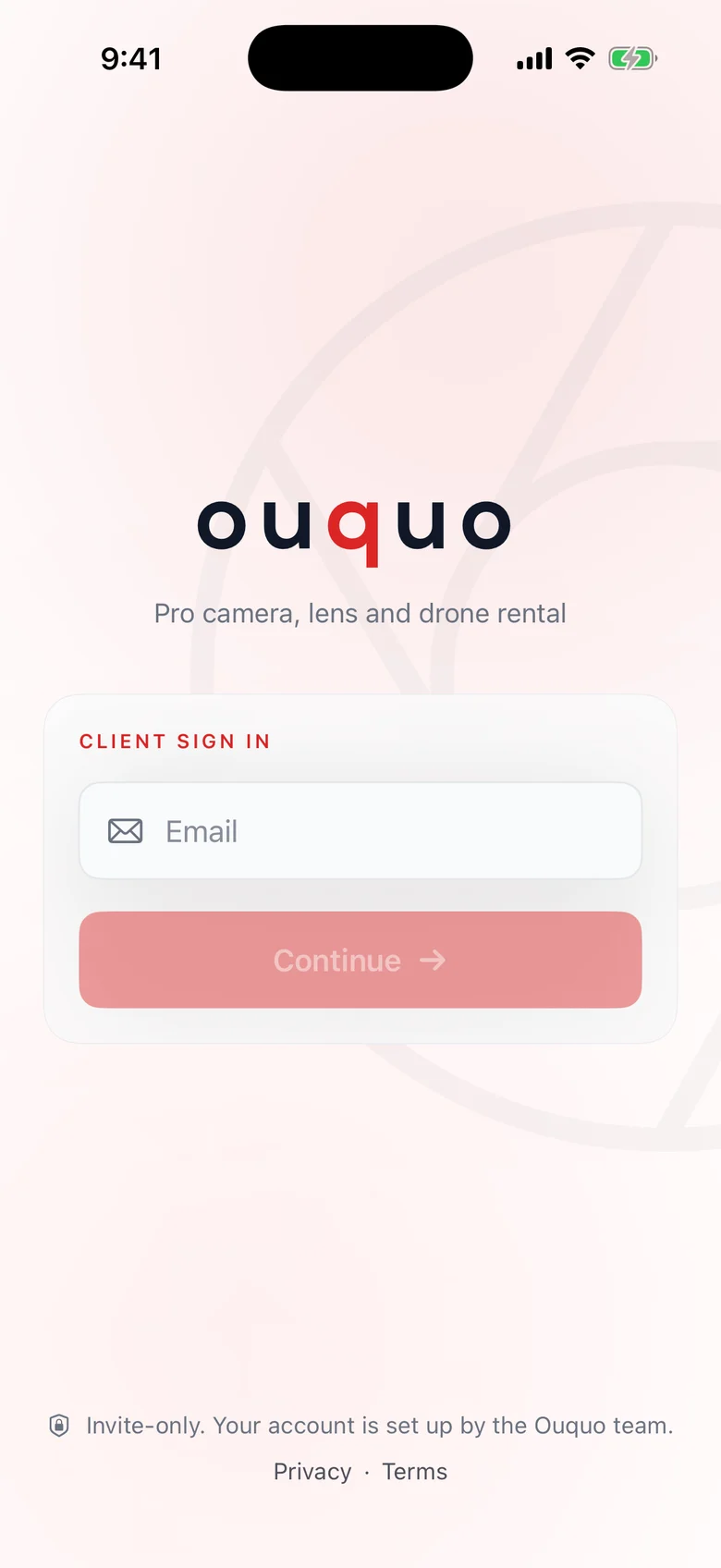
Invite-only, made for existing clients
There's no sign-up. Clients sign in with the details Ouquo set up for them, and can reset a forgotten password from the same screen.
- Accounts created by the Ouquo team
- Password reset by email
- Admins are pointed to the website
The whole kit room in your pocket
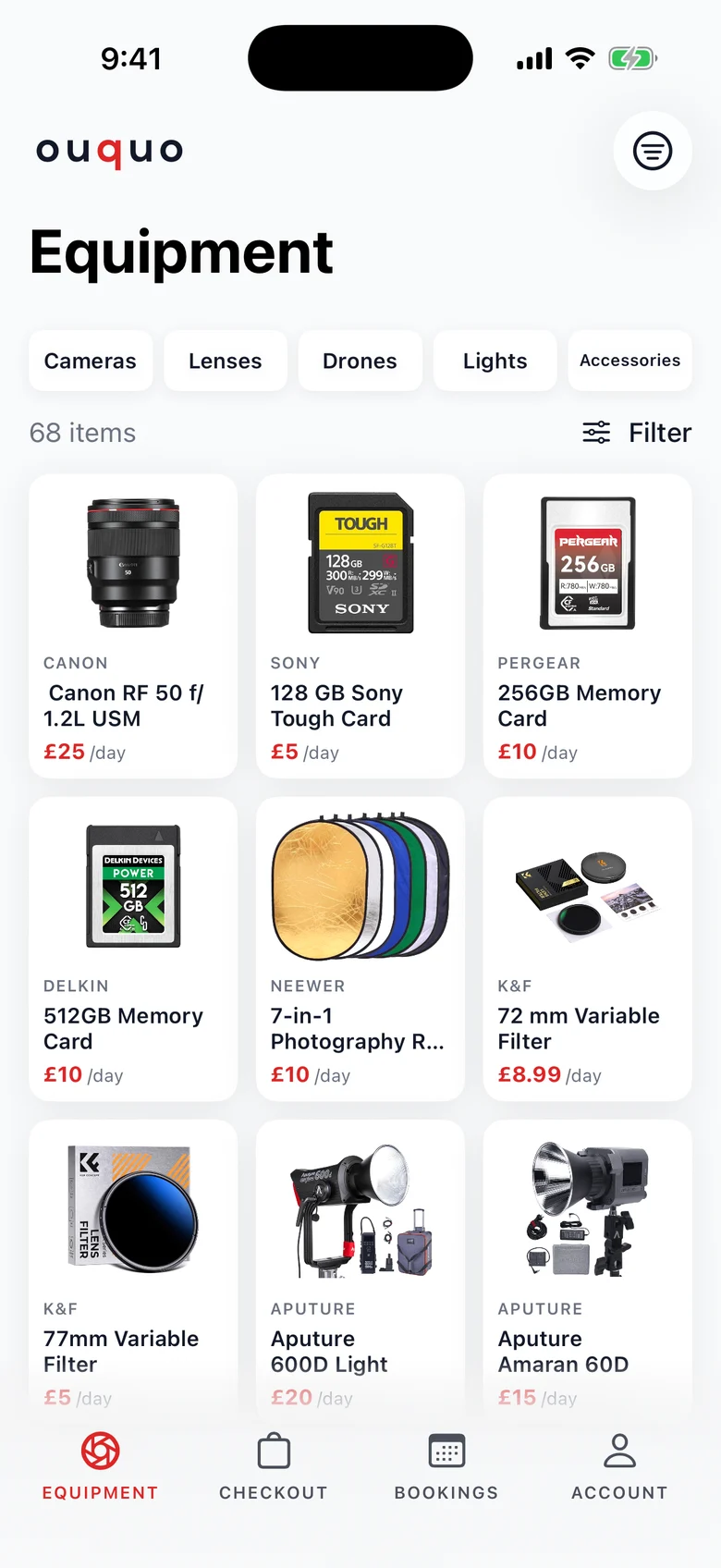
Every camera, lens, drone, light and accessory comes live from the same database as the website, so a new item appears in the app the moment it's added.
- Live catalogue, always in sync
- Category bar, brand filters and search
- Fast image loading on any connection
Everything you need to choose
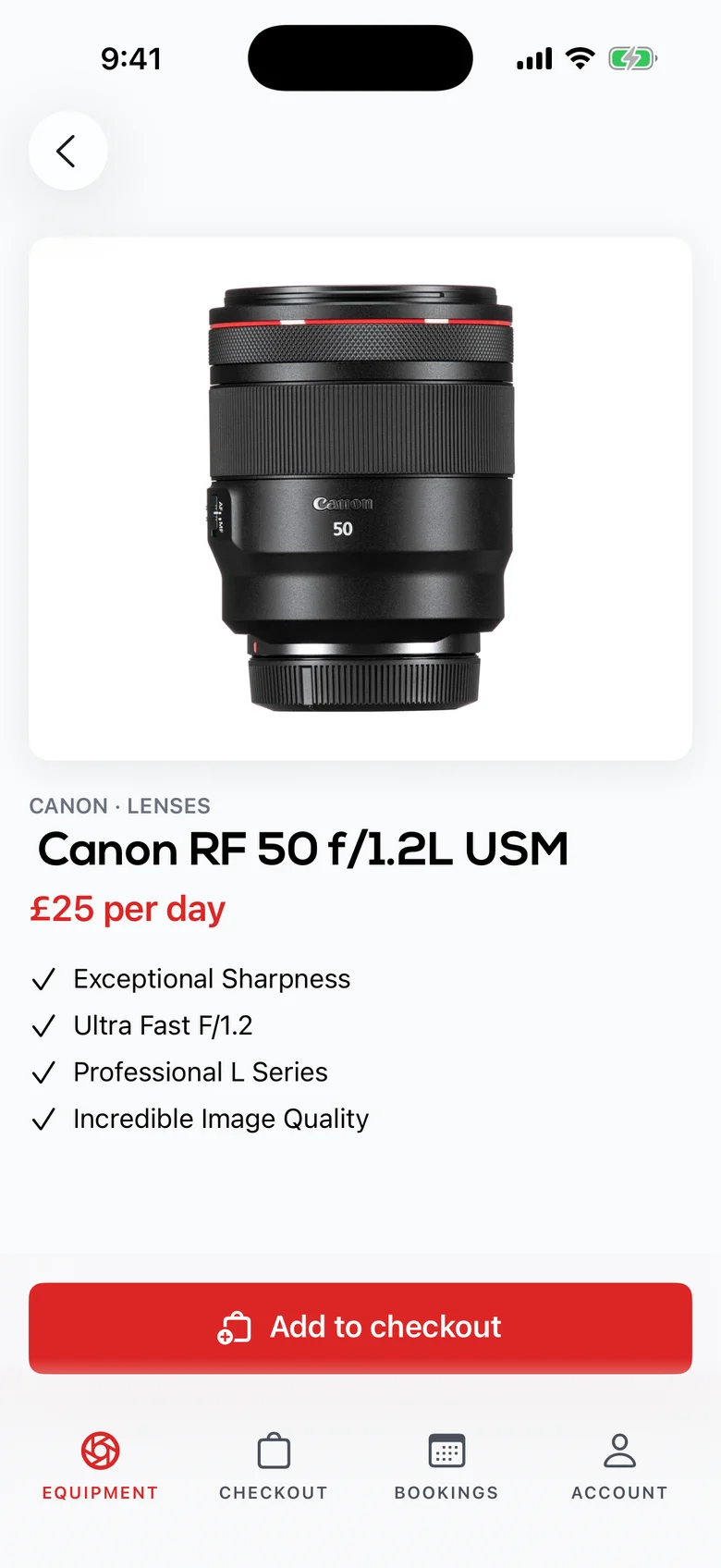
Each item has its photo, brand, key features and day rate, with one button to add it to checkout.
- Clear per-day pricing
- Key features at a glance
- One tap to add to checkout
Pick your dates, pay in seconds
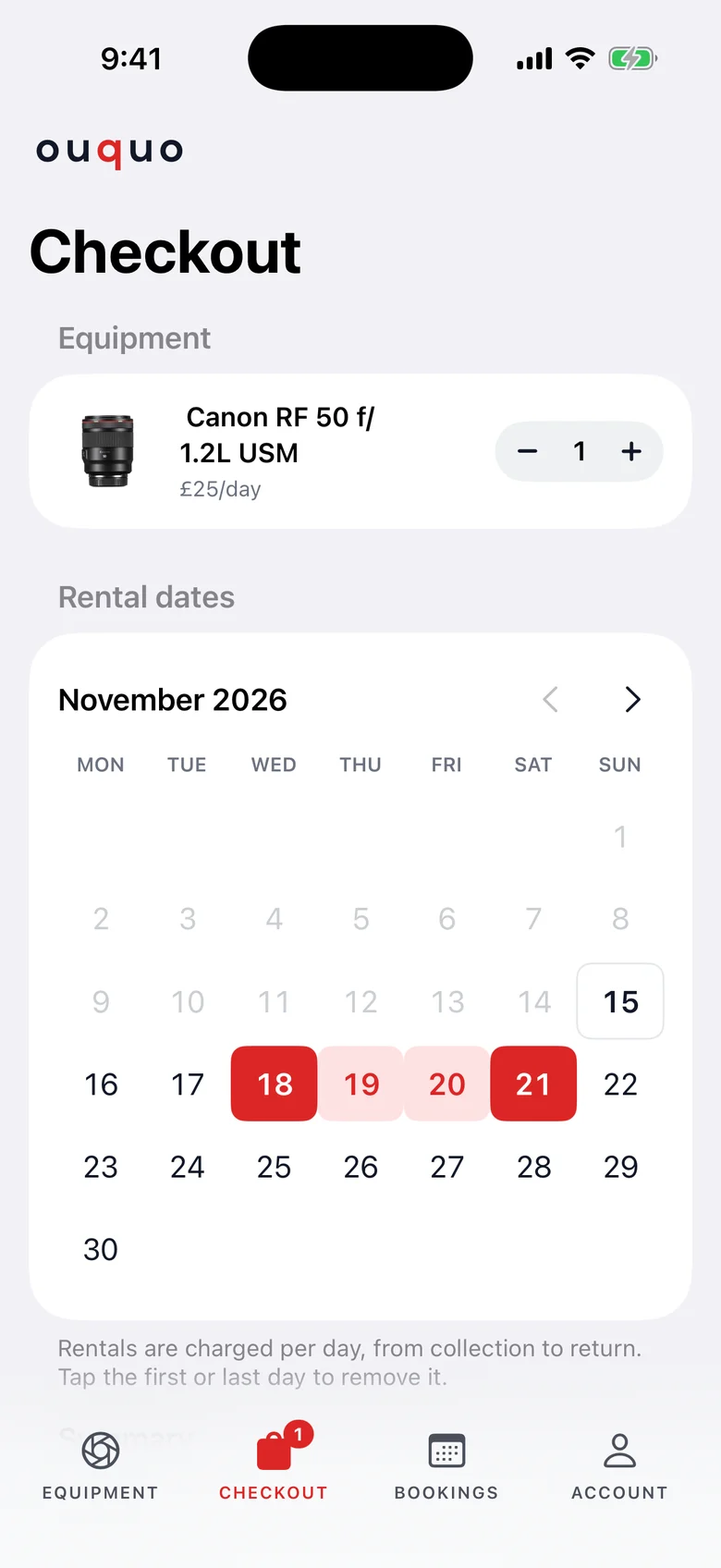
A rental calendar picks consecutive days and works out the total as you go. Any discount Ouquo has sent you is applied automatically, then Stripe takes payment by card or Klarna.
- Rental calendar with live totals
- Client discounts applied for you
- Secure Stripe payment, card or Klarna
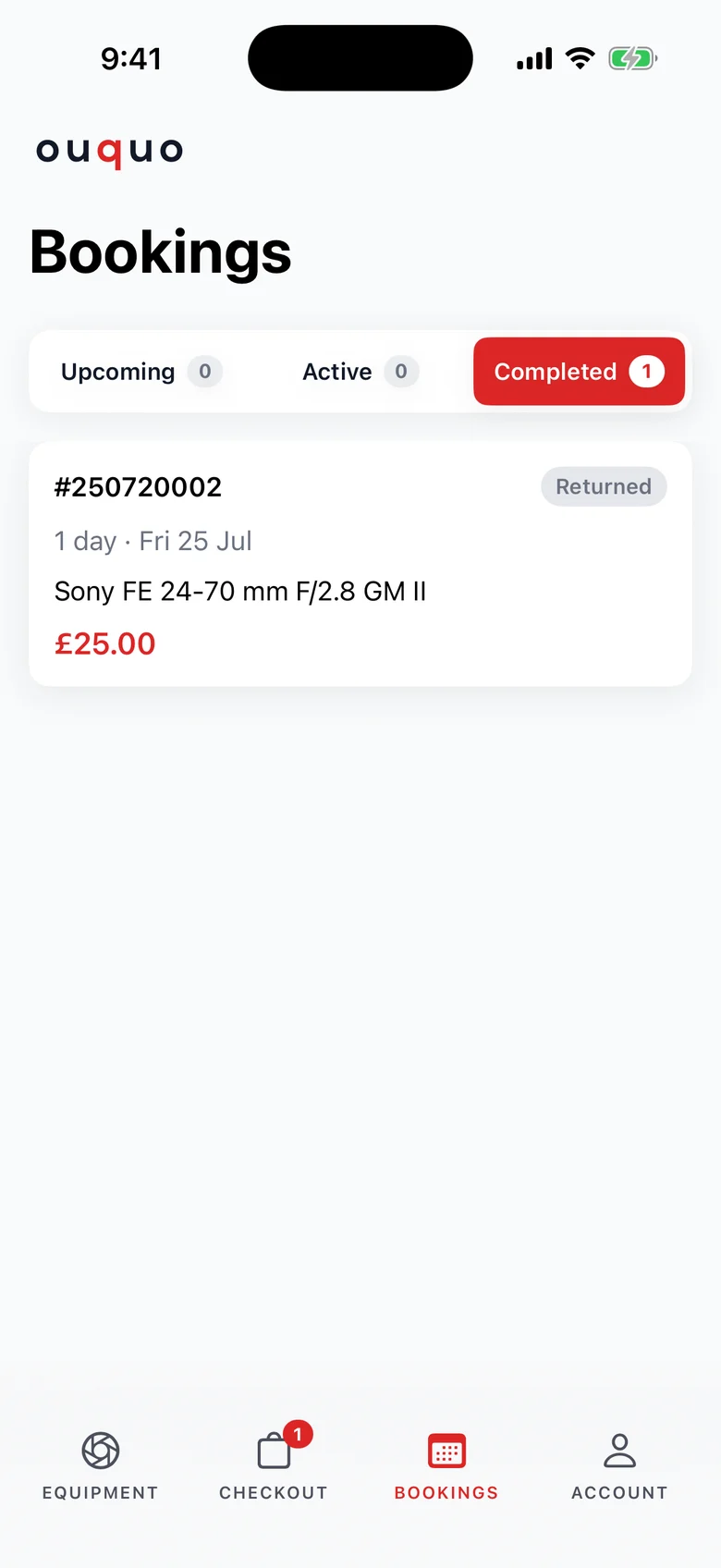
Every booking, from upcoming to returned
Bookings are split into upcoming, active and completed, with the booking number, dates, kit and total for each.
- Upcoming, active and completed tabs
- Status badges at every stage
- Tapping a notification opens Bookings
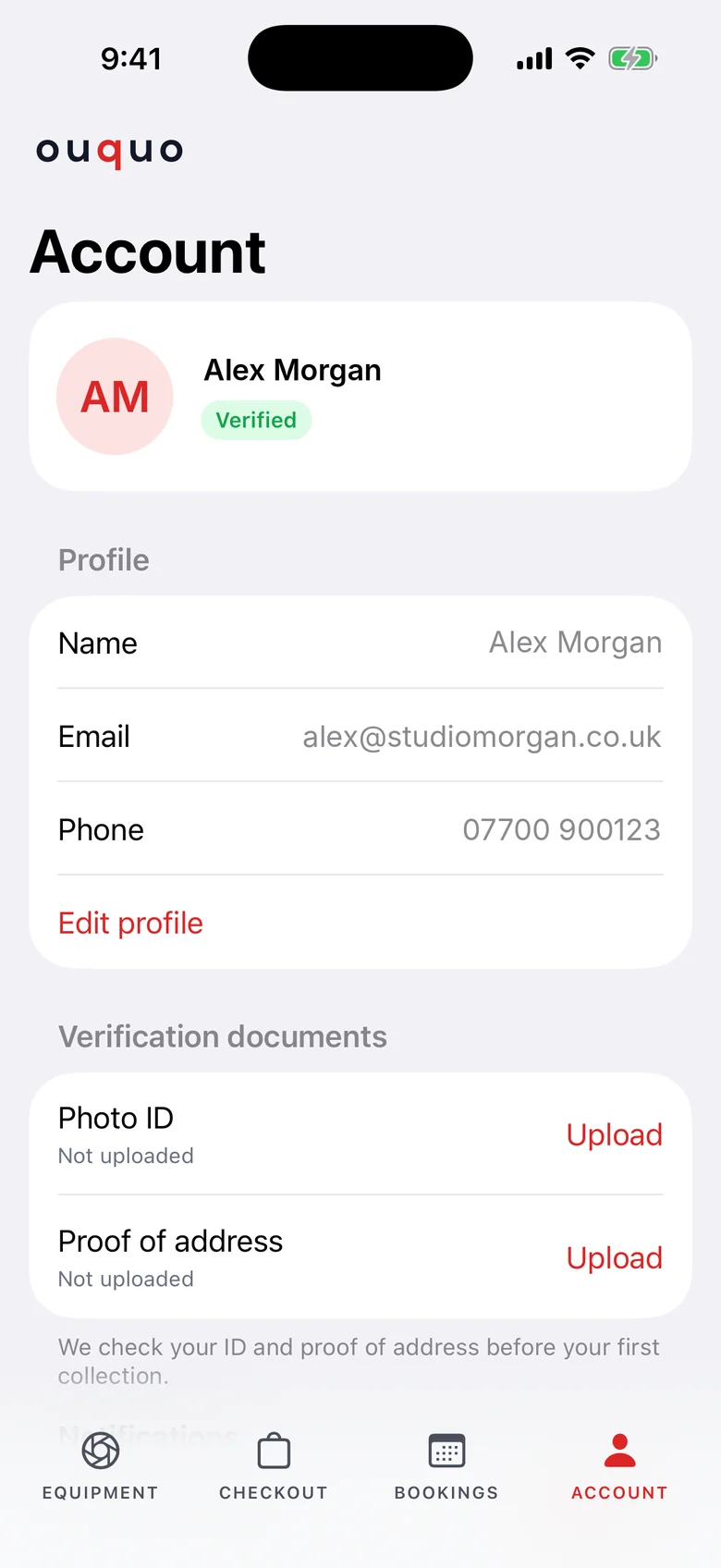
Verified once, ready for every rental
Clients upload a photo ID and proof of address before their first collection, manage their profile, and can delete their account from the app.
- ID and proof of address uploads
- Verified badge once checked
- Account deletion, as Apple requires
Under the hood
One business, one backend.
One backend for app and website
The app reads and writes the same Firebase data as ouquo.com, so stock, carts and bookings are always the same in both.
Notifications from the same moments as emails
Booking notifications go out from the same place as the booking emails, so a client never gets one without the other.
Stripe, handled in-app
Checkout opens Stripe in an in-app browser. The app catches the return, marks the booking paid and sends the confirmation email.
Ready for App Store review
Opt-in promotional alerts, in-app account deletion and a clear privacy policy, all built to Apple's rules from day one.
Built with
Native Apple technologies, no cross-platform shortcuts.
Powered by
Shared with the Ouquo website, with push through Apple and Firebase.
Got an app idea? Let's build it.
Native iPhone apps, websites, client portals and admin dashboards, designed and built in-house by Avoque, a registered Apple developer.